
Odoo 19 · Attendances · HR Add-on
Geofence Attendance
Restrict employee check-in and check-out to a GPS-fenced area around each work location — validated on the server, in Kiosk Mode and on My Attendance. Distance is checked server-side, so it can’t be spoofed from the browser.
Why it matters
Attendance from the car park shouldn’t count
Draw a radius around each work location on an interactive map, and Odoo blocks check-ins from outside the fence — no more attendance from the car park or from home. Distance is checked server-side with the Haversine formula, so it can’t be faked from the browser.
What it does
Everything the add-on adds
A focused HR add-on that layers GPS geofencing onto Odoo’s standard attendance, with no external services to wire up.
Interactive map picker
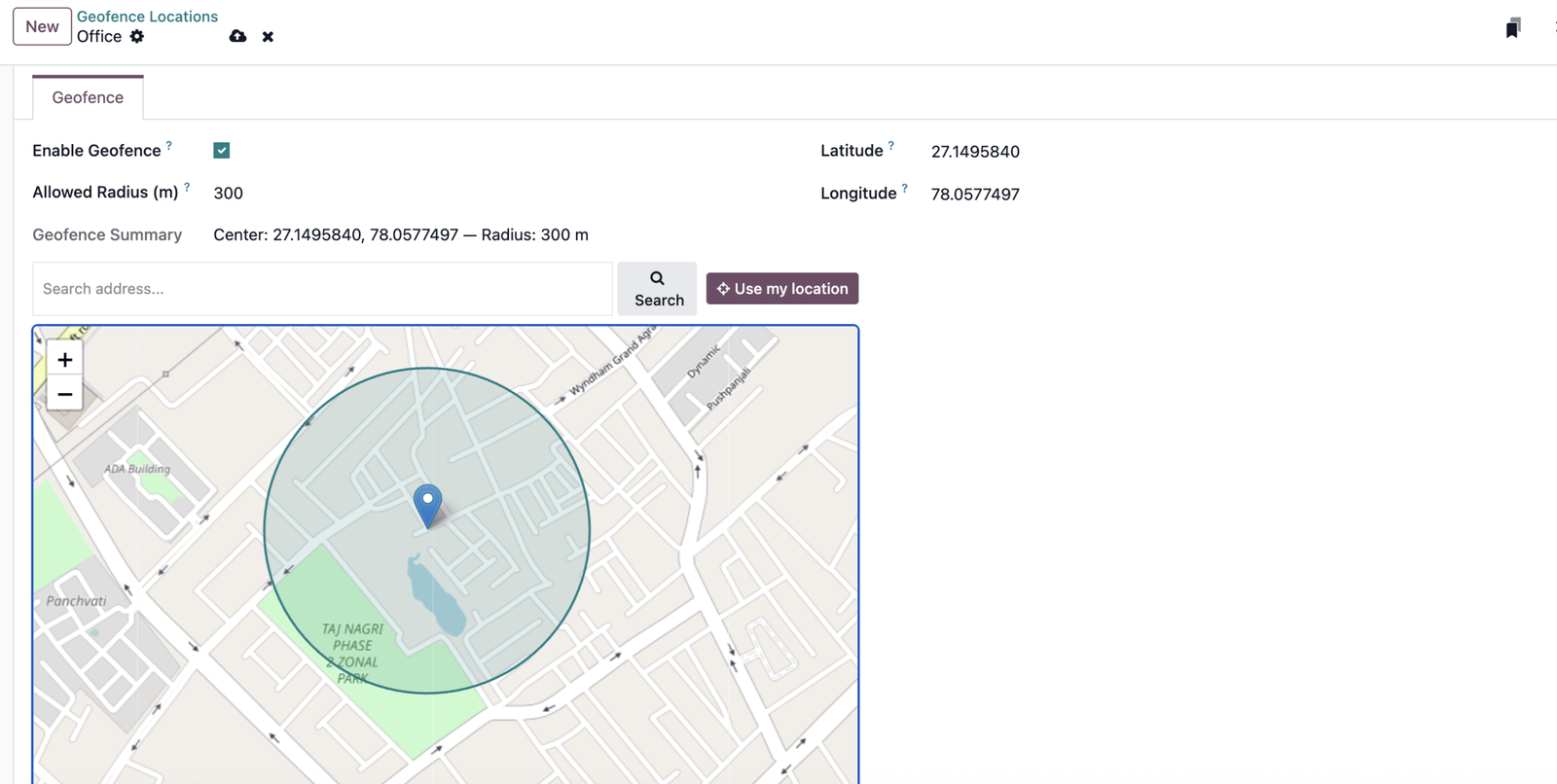
Search an address or hit “Use my location”, drop the pin, and set the radius — with a live circle preview.
Server-side validation
Distance is computed on the server with the Haversine formula — the browser can’t fake being inside the fence.
Kiosk + My Attendance
Enforced both in shared Kiosk Mode and on each employee’s personal My Attendance page.
Per-location radius
Every work location gets its own centre and radius; toggle geofencing on or off per location.
Per-day work location
Resolves the employee’s work location per day using Odoo’s date-based employee versions.
Multi-company, RTL, EN/AR
Multi-company aware, right-to-left ready, and ships with English and Arabic translations.
Set up in minutes
Inside the fence, or no check-in
Set the fence
Enable geofencing on a work location, drop the centre pin on the map, and set the allowed radius in metres.
Employee checks in
On check-in or check-out, the browser shares the device location with Odoo — in shared kiosks or on the personal page.
Server validates
The server measures the distance to the centre and allows the punch only if it falls inside the radius. No browser spoofing.
Inside the module
See it in Odoo

Technical
Compatibility & details
| Availability | Odoo Community, Enterprise, Odoo.sh |
| Odoo version | 19.0 |
| Depends on | hr_attendance, hr, web — core Odoo only |
| Maps | Leaflet bundled with the module (no external JS) |
| Technical name | geofence_attendance |
| Languages | English, Arabic (RTL ready) |
| License | OPL-1 |
| Author | Ochre Digital · ochre.digital |
Fence your attendance in minutes
Questions before you buy, or help rolling it out across sites? We build and support Odoo for teams across India and the GCC.