
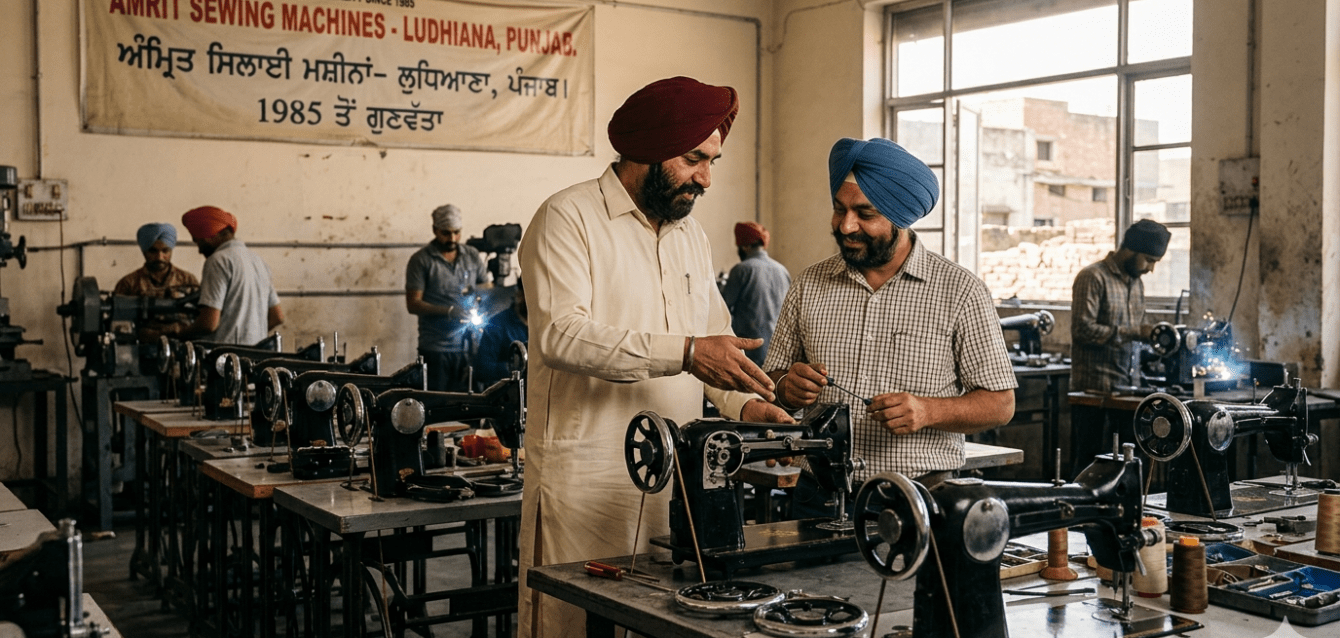
You make precision machines. Your ERP should be just as precise and holistic to support your partners, customers and marketing channels.
This is a floor-level, process-by-process look at how Odoo Enterprise fits a sewing machine manufacturer at 100 to 450 crore scale. Where it excels, where you need to configure carefully, how to handle your SAP-integrated export buyers, and whether to stay on Tally or move your accounts into Odoo entirely.
What This Guide Covers
- The honest picture: what your operation actually looks like
- Procurement: 100 vendors, 500 parts, zero chaos
- The 10-stage manufacturing floor inside Odoo
- Inventory that reflects the shop floor, not just the books
- Accounts: stay on Tally or move everything into Odoo?
- The SAP question: your export buyers, answered directly
- The casting furnace question
- Your decision framework
1. The Honest Picture: What Your Operation Actually Looks Like
A sewing machine manufacturer at 100 to 450 crore turnover is not a simple assembly shop. You are running a vertically integrated precision manufacturing operation, starting from raw castings and ending with a boxed, tested machine leaving your dispatch bay. There are ten distinct production stages in between, each with its own material consumption, quality checkpoint, and labour cost.
Your ERP needs to handle all of that, plus manage 100 or more vendors, 300 to 500 active raw material and component SKUs, multi-model product variants across industrial, domestic, and special-purpose machines, GST and TDS compliance, and increasingly, export documentation for buyers who run SAP on their end.
Most manufacturers in this situation are running Tally for accounts and handling the production floor on spreadsheets, WhatsApp groups, and the production manager’s memory. That works up to a point. The point where it stops working is usually somewhere between 80 and 150 crore, when you start missing delivery commitments because nobody could see that a critical casting batch was still in the grinding stage, or losing margin because scrap from the machining stage was never properly tracked.
Odoo Enterprise has a native multi-level Bill of Materials, work centre tracking, routing sequences, and real-time WIP visibility. These are not afterthoughts or add-ons. They are core to how the manufacturing module works. For an operation with casting, grinding, machining, painting, and assembly as distinct cost-generating stages, this matters more than the ERP’s look and feel.
2. Procurement: 100 Vendors, 500 Parts, Zero Chaos
This is the area where most sewing machine manufacturers feel the sharpest pain. You are managing hundreds of part numbers, each with its own lead time, minimum order quantity, approved vendor list, and quality specification. A single production delay often traces back to one line item that nobody noticed was running low.
How Odoo handles your procurement complexity
Reorder rules with multi-vendor logic. For each raw material or bought-out component, you configure a minimum stock level and a reorder quantity. When stock drops below the threshold because a manufacturing order consumed it, Odoo automatically raises a draft Purchase Order against the preferred vendor for that part. If that vendor has a longer lead time, the system routes to an alternate vendor. You review and confirm. You do not chase a purchase assistant to check stock.
Vendor-specific part codes and pricing. In your industry, the same bearing or gear might come from three different vendors under three different part codes and three different prices. Odoo’s vendor pricelist on each product stores all three, with effective dates and minimum quantity breaks. When the system raises a PO, it picks the right vendor code and price automatically.
Bill of Materials drives procurement. When a production order is created for a specific machine model, the BOM for that model tells Odoo exactly what 80 to 120 components are required. The system checks current stock against that requirement and raises purchase requests only for what is genuinely short. No manual calculation. No spreadsheet lookup.
Managing 300 to 500 active SKUs
Odoo handles this well. The key discipline is maintaining your BOM accurately per machine model and variant. If you make seven machine models and each has three variants, domestic, industrial, and export specification, you can have up to 21 BOM configurations. Each can inherit from a base BOM and override specific components. This is called BOM variants in Odoo and is standard in Enterprise.
The initial data work is significant. Budget two to four weeks for BOM entry during implementation. The payoff is permanent: every production run calculates materials automatically from that point on.
Purchase workflow at your scale
- Reorder rules or MRP generates draft purchase orders automatically based on production schedule and stock levels.
- Purchase manager reviews and approves before sending to vendor, with a three-way match across PO, Goods Receipt Note, and vendor bill.
- Quality control checkpoint on goods receipt: pass, conditional accept, or reject with reason code.
- Rejected batches create a return workflow with vendor debit note.
- GRN updates inventory in real time, triggering production order availability checks.
- Vendor performance tracked automatically: on-time delivery rate, rejection rate, price variance.
- TDS deducted at source on eligible vendor payments, with auto-generated challan data for returns.
3. The 10-Stage Manufacturing Floor Inside Odoo
This is where Odoo genuinely differentiates itself from a basic accounting-plus-inventory system. Your production process is not a single step. It is a sequence of distinct operations, each consuming materials and labour, each capable of generating scrap, rework, or delay. Odoo’s manufacturing module maps directly to this reality.
Stage 1: Procurement of Raw Materials
Covered in detail above. MRP auto-generates purchase orders based on production schedule. The connection between this stage and assembly is fully closed: Odoo knows what you need to buy because it knows what you have planned to build.
Stage 2: Casting
Casting is a consumption-heavy, batch-oriented operation. Your furnace melts input material including pig iron, scrap, and alloying additions, and produces castings of specific types. In Odoo, you configure a work centre called Casting Furnace with its capacity in tonnes per day or shifts, its cost per hour, and the operators assigned.
A single furnace heat produces castings of multiple part numbers simultaneously. This is handled as a production order with multiple outputs, called co-products. You pour one heat and get casting A in 100 pieces, casting B in 60 pieces, and casting C in 40 pieces. All are output products of the same manufacturing order. Co-product costing distributes the heat cost across the outputs by weight or a custom allocation key.
Actual material consumed is recorded against the work order, including any scrap or rejected castings. If a casting batch has a four percent rejection rate, that cost is captured in the manufacturing order and flows to your profitability analysis per machine model.
Stage 3: Grinding
Grinding operations clean and dimension the raw castings. This is a separate work centre in the routing sequence. The grinding work order is released only when the casting work order for that batch is complete and validated. Operators log start and stop times manually or via a tablet. Material consumed includes grinding wheels and coolant. Scrap includes rejected castings that did not meet dimensional tolerances. All recorded per batch.
Stage 4: Machining
CNC or conventional machining brings parts to final dimensions. This is typically your longest-lead operation and the most expensive per unit. Odoo tracks which machine tool is being used, what the expected cycle time is, and what the actual cycle time was. Over time, this data lets your production manager spot where actual times diverge from standard times and why. Cutting tools can be tracked as consumed components in the BOM at the operation level.
Stage 5: Painting
Painting involves a preparation stage including cleaning and priming, and the finish coat. These can be one or two operations in the routing. Paint consumed is tracked as a BOM component at the operation level, not at the product level, so your paint consumption variance report shows exactly where you are using more or less than standard. Different machine models or colours can have different paint BOMs. Quality checkpoint: visual and adhesion tests before the batch moves forward.
Stage 6: After-Paint Machining
This is a critical precision step where painted castings are re-machined at critical interface surfaces including bearing housings, thread paths, and needle bar guides. The system enforces sequence: this work order cannot begin until the painting work order is marked complete and validated. If paint adhesion failure causes rework, a scrap or rework order is raised, costs are captured, and the rejected piece is either sent back to painting or written off as scrap with proper accounting impact.
Stage 7: Assembly
Assembly is where all sub-assemblies and bought-out parts come together. This is typically the most BOM-intensive stage, with 80 to 200 components consumed in a structured sequence. Odoo supports multi-level BOMs: your machine head is a sub-assembly with its own BOM, which is consumed as a single item by the final machine BOM. This keeps the assembly work order clean and manageable.
Operators work from a digital work instruction on a tablet, confirming each step. The system tracks which serial number or batch of each component went into which machine, giving you full traceability if a quality issue surfaces later in the field.
Stage 8: Packing and Packaging
Packing materials including cartons, foam inserts, polybags, and accessories kits are tracked in inventory and consumed at this stage. If your export variant includes different accessories than your domestic model, that is a BOM variant. The finished packed machine is your saleable unit. At this point the machine receives a serial number if not already assigned at assembly, is moved to the finished goods location, and is ready for billing and dispatch.
Stage 9: Storage
Finished goods are stored by machine model, variant, and destination: domestic, export, or dealer stock. Odoo supports multiple storage locations and warehouses. You can reserve specific finished machines against specific sales orders, so your dispatch team always knows what is physically available versus what is already committed to a customer.
Stage 10: Billing
Customer invoice is raised from the sales order, pulling in the delivered quantity and the agreed price with GST, discounts, and payment terms. For export orders, Odoo generates commercial invoices, packing lists, and GST-exempt billing in the correct format. E-invoicing with IRN generation is handled natively for domestic invoices above the threshold. Multi-currency billing for export customers is standard.
Stage 11: Dispatch
Dispatch is a delivery order in Odoo, linked to the sales order. The dispatch team confirms quantities, prints packing lists and delivery challans, generates e-way bills for domestic shipments, or prepares shipping documentation for exports. Transporter details, LR numbers, and tracking updates are recorded against the delivery order.
Stage 12: Payment Collection
Payments received are reconciled against open invoices. Partial payments, advance adjustments, PDC management, and TDS deductions by customers are all handled. Outstanding reports per customer or dealer are live at any point. Credit limit controls prevent further dispatch to customers who have exceeded their outstanding limit.
The real value of Odoo on a manufacturing floor is not the reports it generates after the fact. It is the constraints it enforces in real time: you cannot start machining what has not been cast, you cannot dispatch what has not been invoiced, and you cannot invoice what has not been delivered.
4. Inventory That Reflects the Shop Floor, Not Just the Books
In a sewing machine factory, inventory exists in six or seven states simultaneously: raw material in stores, material issued to the casting furnace, WIP at grinding, WIP at machining, semi-finished at painting, finished goods in assembly holding, and packed finished goods ready for dispatch. Each state is a different location in Odoo.
This is not complexity for its own sake. It gives your production manager and finance controller the same real-time picture of where value is sitting in the factory at any moment. Your accountant can see the WIP value. Your production manager can see that 48 machine frames are currently in the painting stage. Your dispatch team can see which machines are confirmed finished and available for the dealer delivery scheduled tomorrow.
Key inventory capabilities for your operation:
- Lot and serial number tracking from raw material receipt through finished goods dispatch, giving you full forward and backward traceability per machine.
- Scrap recording with reason codes such as casting defect, machining tolerance failure, or paint adhesion failure, with automatic cost impact on the manufacturing order.
- Multi-location stock across raw material stores, WIP locations per stage, finished goods, export packing area, and dealer consignment locations if applicable.
- Inter-location transfers with documentation, so issues from stores to casting are recorded and auditable.
- Physical inventory managed with cycle count scheduling by location or product category, minimising disruption to production.
- Inventory valuation at standard cost or average cost, with automatic journal entries to your accounting module in real time.
- Landed cost allocation: if you import certain components such as needle mechanisms or electronic speed controllers, customs duty and freight are allocated to the component cost automatically.
5. Accounts: Stay on Tally or Move Everything into Odoo?
This is the question most manufacturers agonise over. The honest answer is that both paths are legitimate. Here is how to think about it.
Option A: Odoo for Operations, Tally for Accounts
Your accounts team keeps working in Tally, which they know deeply. Odoo manages procurement, production, inventory, billing, and dispatch. Invoices and payment entries are synced to Tally via a connector or exported as journal entries. GST returns are filed from Tally as today.
The advantage is lower change management risk at go-live. The disadvantage is that you have two systems maintaining two partial views of the same financial reality. Some duplication of data entry is unavoidable.
Option B: Full Odoo Enterprise Including Accounting (Recommended)
When goods are dispatched, the revenue entry posts automatically. Inventory valuation and COGS hit the P&L in real time without any manual journal. GSTR-1, GSTR-3B, and e-invoicing are all generated from within Odoo. TDS, TCS, and statutory compliance are built in for the Indian localisation. Manufacturing cost, scrap cost, and overhead absorption all flow to accounts without re-entry. Your balance sheet at any point reflects actual operational reality.
One source of truth. One audit trail. One training investment. One system for your CA.
For founders currently on Tally ERP 9 or Tally Prime
The accounts team’s concern is always whether they will lose their history. The answer is no. Odoo implementation starts from a clean date, typically the start of a financial year or quarter. Opening balances from Tally are imported as journal entries: customer outstanding, vendor outstanding, bank balances, fixed assets, and inventory value. Your Tally history remains accessible in Tally for any historical reference. Many companies keep Tally in read-only mode for two years post-migration. This is common and sensible.
The learning curve for Odoo accounting is real but not steep for people who already know accounting. The concepts are identical: journal entries, ledgers, bank reconciliation, GSTR. The interface is different. Plan for two weeks of parallel running where your team does both Tally and Odoo entries for the same transactions, then cuts over cleanly.
What Odoo accounting gives you that Tally does not
- Direct, live connection to inventory: when you dispatch goods, revenue posts without a separate Tally entry.
- Manufacturing cost flows: WIP, COGS, scrap, and overhead absorption are automatic journal entries from the production module.
- Customer portal: dealers can log in and see their outstanding invoices and delivery status without calling your accounts team.
- Multi-currency with auto-exchange rate updates for export invoicing.
- Profitability by machine model, by dealer, by region, all from the same dataset as your operations.
- Bank feed integration with major Indian banks for auto-reconciliation.
6. The SAP Question: Your Export Buyers, Answered Directly
Your export buyers are running SAP. They may send you purchase orders, design specifications, or shipping instructions in SAP-native formats. You want to know if Odoo can receive and process those correctly. Here is the direct answer.
Odoo does not speak SAP natively. That is not the problem you think it is.
SAP is a platform, not a communication standard. When your buyer says they will send requirements in SAP-based mode, what they actually mean is one of four specific things. Each has a clear answer.
They send Purchase Orders via EDI. EDI, or Electronic Data Interchange, is a standard such as EDIFACT or ANSI X12, not a proprietary SAP format. Odoo has EDI connectors, and there are mature third-party EDI bridges available. Your buyer’s IT team will provide an EDI specification. This is a one-time integration project, not an ongoing compatibility issue.
They send design files or specifications. Design files are PDFs, CAD formats such as DXF, STEP, or IGES, or Excel sheets. None of these are SAP-specific. Odoo has a Documents module where you attach these files to products, manufacturing orders, or sales orders. Your engineering team accesses them directly in Odoo.
They want invoices in a specific format. Odoo invoices are fully customisable. If your buyer needs invoices with specific field layouts and reference numbers in specific positions, Odoo’s report engine generates that. This is a standard customisation, not an integration challenge.
They want API-level system integration. If your buyer wants automated order-to-acknowledgement or shipment notification flows, Odoo has a full REST API and XML-RPC interface. SAP has standard IDoc and API frameworks. This is a B2B integration project and is entirely feasible, requiring coordination between your Odoo implementation partner and your buyer’s SAP team.
The practical reality is that most Indian manufacturers exporting to SAP-using buyers manage the interface with PDFs, emails, and Excel, and this continues to work fine after moving to Odoo. The advantage is that your side of the process becomes more organised and traceable, even if the exchange format with the buyer remains the same.
Export documentation in Odoo
For export operations specifically, Odoo handles commercial invoices, packing lists, certificate of origin data, shipping bill references, and multi-currency invoicing natively. If you export under bond or LUT for zero-rated GST, Odoo’s India localisation handles the GST treatment correctly. Export-specific customer price lists, incoterms, and payment terms including LC, TT, DA, and DP are all configurable per customer.
7. The Casting Furnace Question
This came up specifically in your evaluation and deserves a direct, technical answer.
A casting furnace is a capital-intensive, batch-oriented work centre with characteristics that differ from most machining or assembly operations.
Capacity planning. The furnace is configured as a work centre with a defined capacity in tonnes per shift or heats per day. Manufacturing orders routed through the casting work centre are scheduled against this capacity. If you have two furnaces, they are two work centres that can be used as alternatives in the routing, and Odoo’s scheduling algorithm can balance load across them.
Batch production with multiple outputs. A single furnace heat produces castings of multiple part numbers simultaneously. In Odoo, this is handled as a production order with co-products. You pour one heat and get casting A in 100 pieces, casting B in 60 pieces, and casting C in 40 pieces. All are output products of the same manufacturing order, with the input being your charge mix of pig iron, scrap, and alloying additions. Co-product costing distributes the heat cost across the outputs by weight or a custom allocation key that you define.
Material consumption per heat. The BOM for the casting operation includes the metal charge by type and quantity per heat, refractories consumed per heat, flux and de-gassing agents, and energy if tracked as a cost driver. Actual versus standard consumption is tracked per heat, giving you a clear foundry cost variance report.
Rejection and rework. Rejected castings due to porosity, cold shut, or shrinkage are recorded as scrap with a reason code. The scrap cost is charged to the manufacturing order and flows to your foundry cost centre in accounts. Remelted scrap is received back into the raw material location as foundry scrap and re-enters the BOM as a lower-cost input for the next heat.
Quality checkpoints. Odoo’s quality module allows you to define inspection points within the casting work order: visual inspection at knockout, dimensional check after fettling, hardness test by sampling. Pass or fail results are recorded against the work order and linked to the batch produced. Patterns of rejection by heat, by shift, or by operator are visible in the quality reporting.
8. Your Decision Framework
You have read through the operational detail. Here is how to think about the actual decision.
Odoo Enterprise is a strong fit for your operation if:
- You are ready to invest in a proper BOM setup. This is the foundational work. Everything else builds on it.
- You want your production, inventory, and accounts in one system so your P&L reflects actual manufacturing reality, not just billing activity.
- You have or plan to have a production planning function: someone who sets the weekly and monthly production schedule and manages work centre load.
- You want traceability: which components went into which machine, and what were the manufacturing costs per batch.
- You are growing toward or beyond 150 crore and the spreadsheet-based production tracking is starting to create visible problems in on-time delivery or margin control.
The implementation approach that works for manufacturers
A phased approach is almost always better than a big-bang go-live for a manufacturer of your complexity.
Phase 1, covering months one to three: procurement, inventory, and basic manufacturing orders. Get purchasing and GRN right first. Set up work centres but use Odoo for planning before activating detailed shop floor tracking.
Phase 2, covering months three to five: full manufacturing routing with work centre tracking. Activate quality checkpoints. Connect accounts by either migrating from Tally or setting up Odoo accounting from a clean opening date.
Phase 3, covering months five to seven: sales, CRM for dealer management, export documentation, and any integration with export buyers’ systems.
This phased approach lets your team absorb changes in stages rather than facing a complete system replacement in week one. Go-live is on Phase 1, not after Phase 3 is complete.
One honest limitation to name
Odoo does not have a dedicated Advanced Planning and Scheduling module. If you run a highly constrained, multi-machine shop where optimising the sequence of jobs across 15 machines to minimise changeover time is critical to your throughput, you may eventually need an APS tool in addition. For most sewing machine manufacturers at 100 to 450 crore scale, Odoo’s production scheduling with work centre capacity constraints is sufficient. This is worth discussing during discovery so your expectations are grounded in your specific operational reality.
What this does not cost you
At 25 to 50 users across accounts, purchase, production, dispatch, and management, Odoo Enterprise licensing is typically in the range of 12 to 25 lakh per year depending on user count and hosting choice. Implementation cost for a manufacturer of your complexity is a separate one-time investment, scoped after a proper discovery session. The total cost of ownership over three years is significantly less than SAP Business One at equivalent scale, and the functional fit for Indian precision manufacturing is comparable or better on most operational dimensions.
The Final Word
The goal is not to buy software. The goal is to run your factory with less friction, better visibility, and tighter cost control on every machine you produce.
Odoo Enterprise, properly implemented, does that for a sewing machine manufacturer. The BOM is the foundation. The routing is the backbone. The accounts are the proof.
If you want to evaluate whether this fits your specific operation, the most useful next step is not a generic demo. It is a 45-minute discovery call where we map your actual floor, your actual vendor list, and your actual pain points, and show you exactly where Odoo solves them and where it needs configuration.
Write to us at contact@ochre.digital or visit ochre.digital.